Remove My Data
PurePrivacy
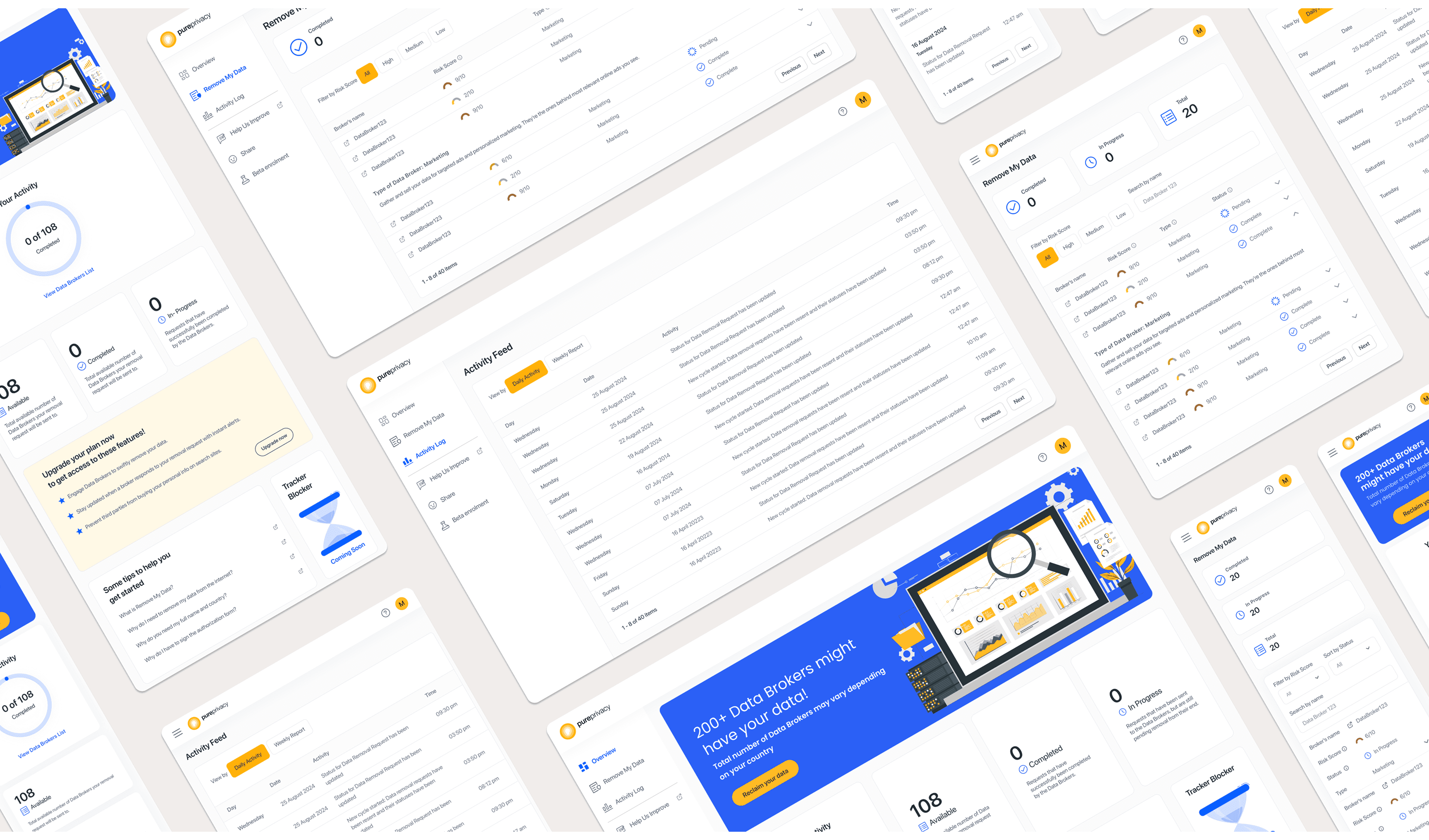
Pure Privacy Web App is the Web Application adaptation of the PurePrivacy Mobile Application. The Web App offers the users Data Removal feature, named ‘Remove My Data’; an online service that helps individuals remove their personal information from various databases and online platforms to enhance privacy and security. The product was designed to be adaptive to all three screen sizes, Large; Laptop, Medium; Tablet, and small; Mobile.
My Role
Research
Wireframes
Information Architecture
Design System
User Journey
Final UI Design
Date
June 2023
Information Architecture
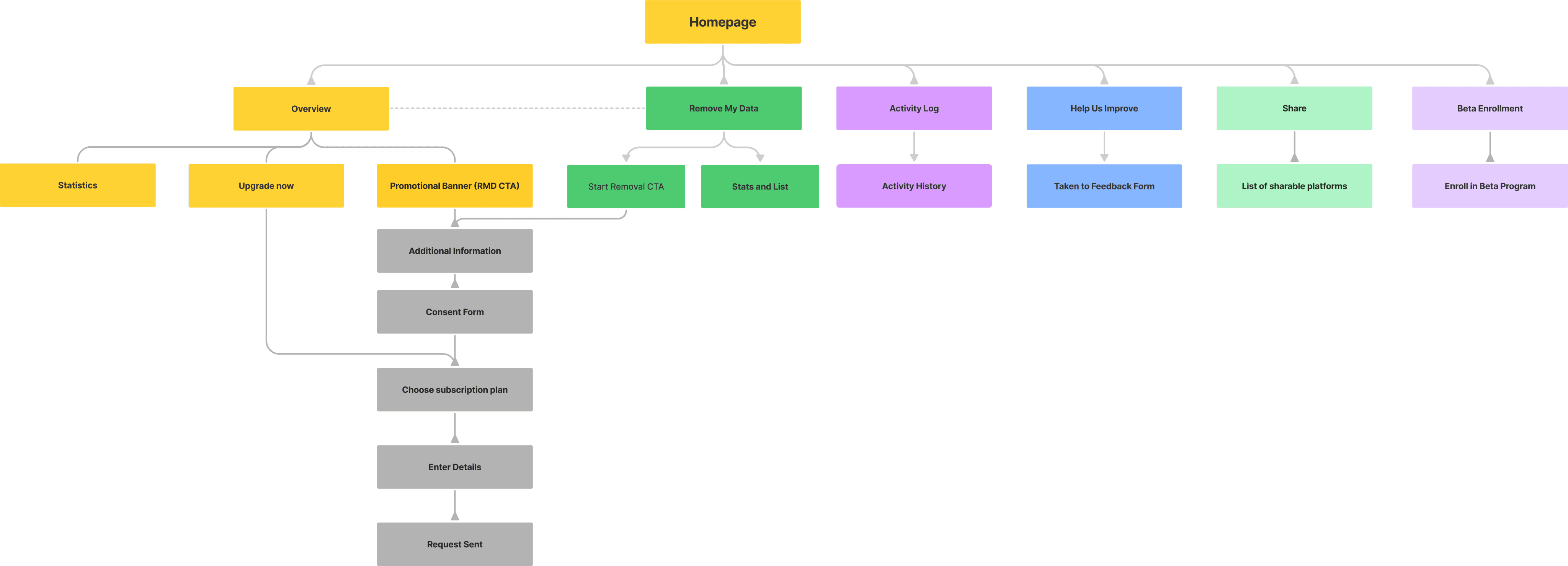
Taking the Mobile Application as the base, while also keeping in mind the unique constraints and flexibility of a web application, I created a new basic information architecture.
Sketching
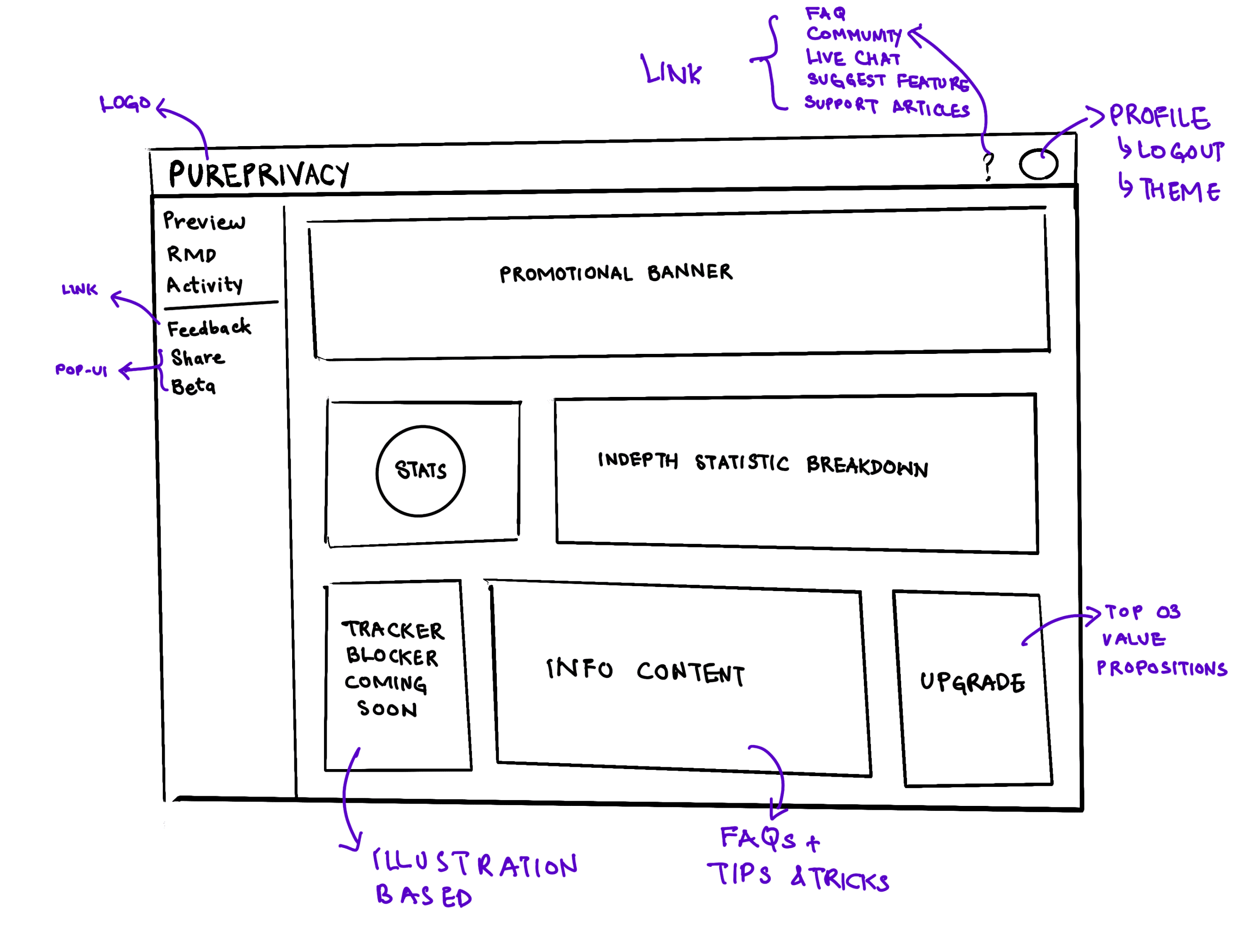
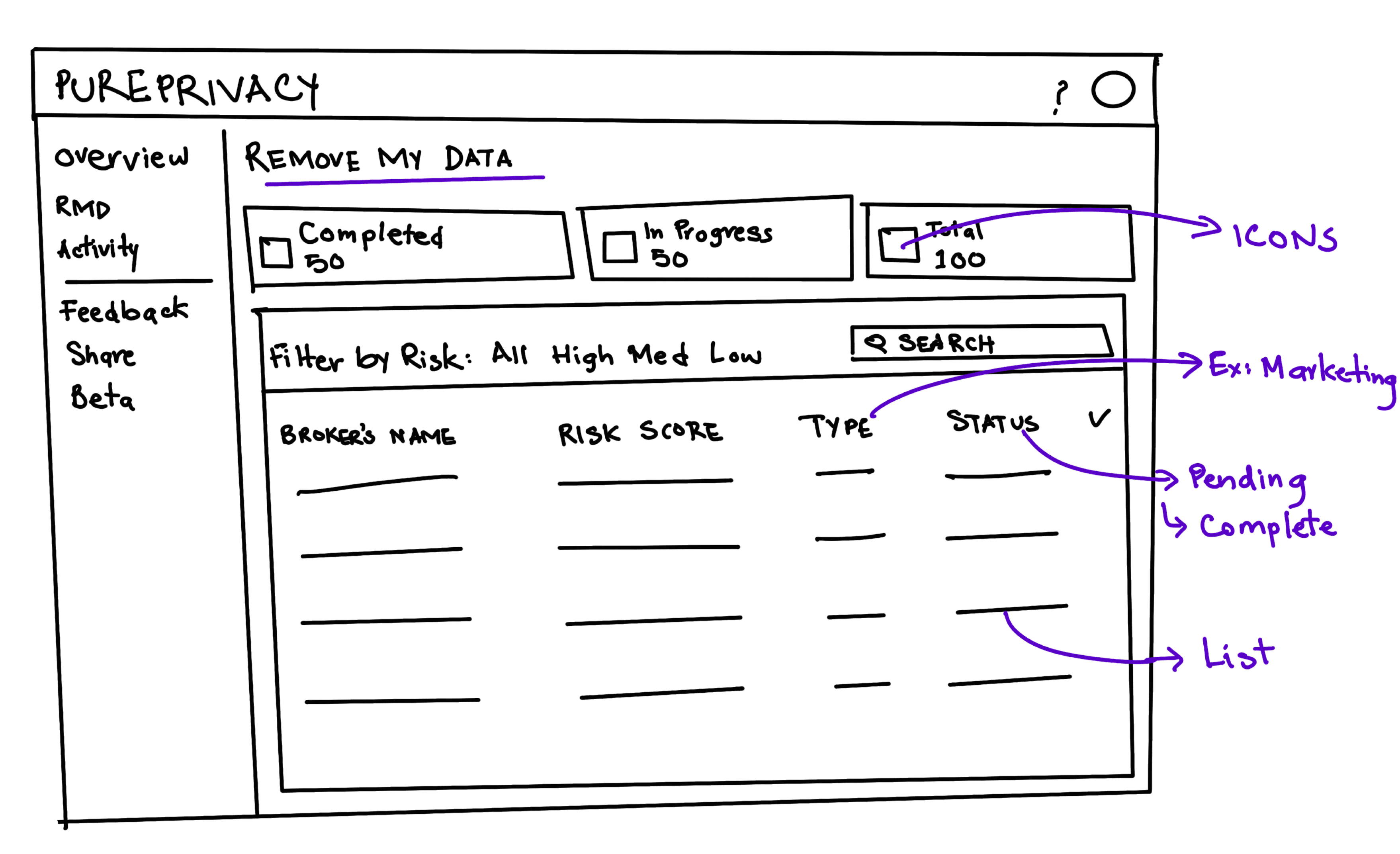
As the time constraints of the project did not allow for proper Wireframes, I had to rely on quick sketches to deliver the idea to the rest of the team.
Final Designs
Overview
The Overview is the central dashboard of the Web App, that updates the users regarding their Data Removal Requests activity, new upcoming features, and offers tips to get started.
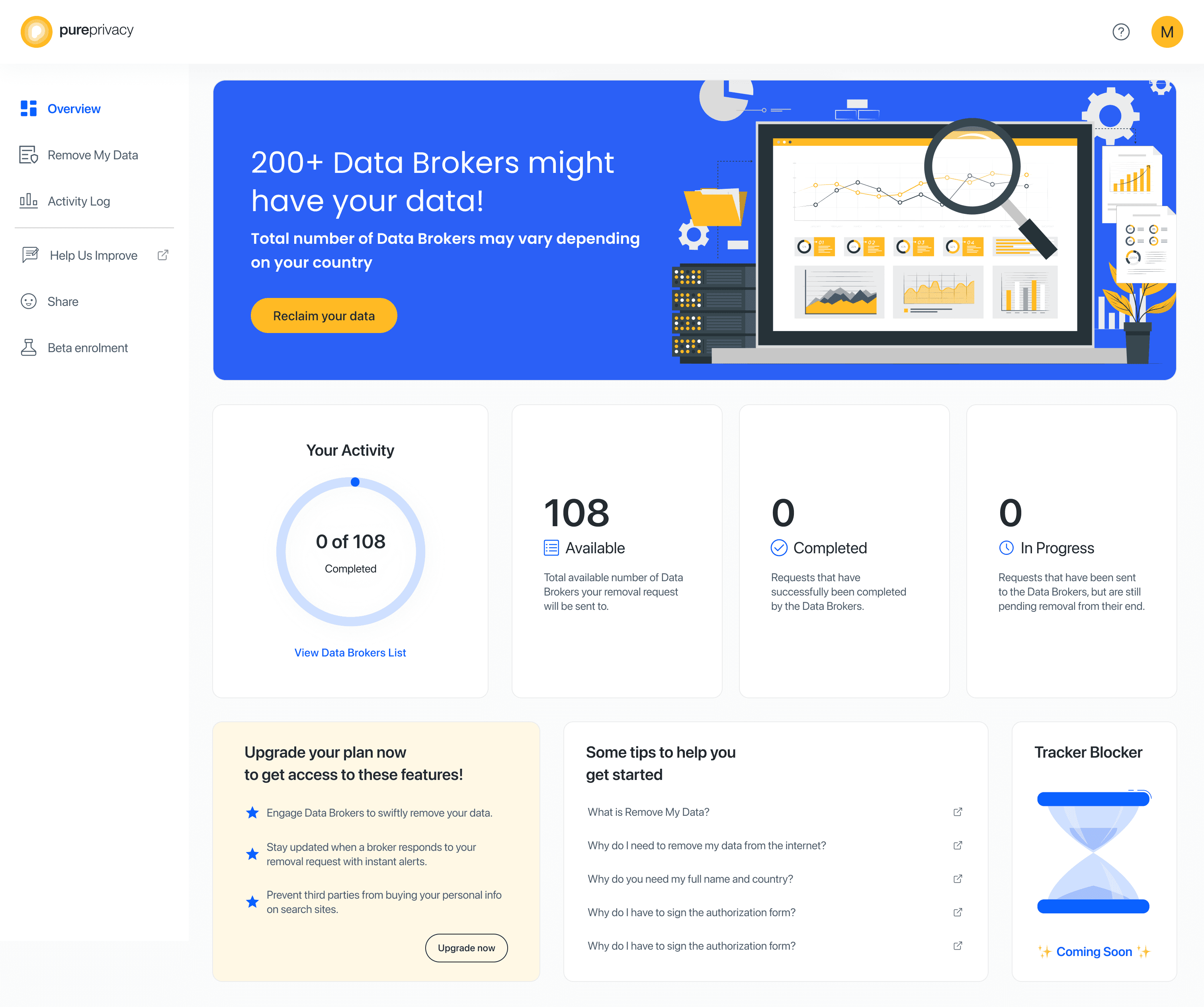
Overview: Desktop
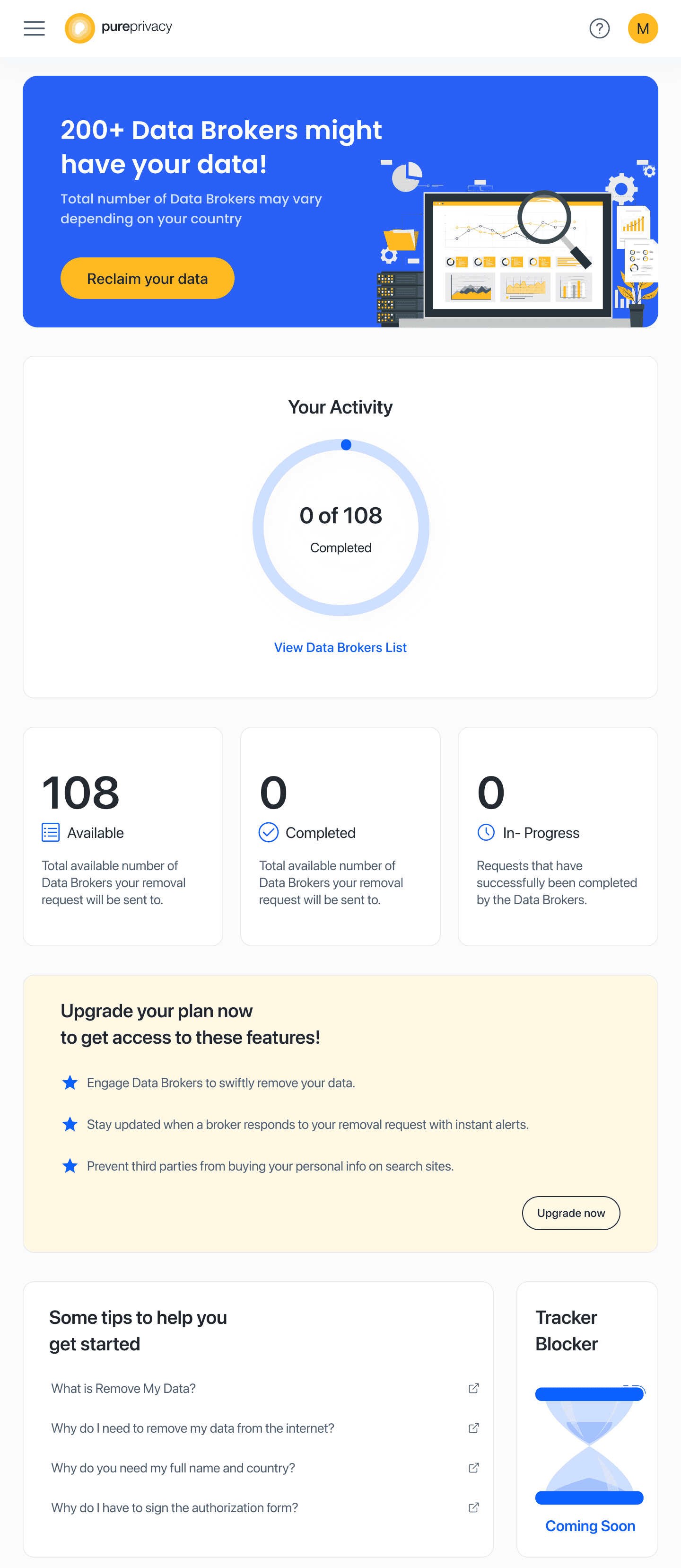
Overview: Tablet

Remove My Data
‘Remove My Data’ shows the users, in depth, their Removal Requests’ statusv against every single Data Broker present on the Database.
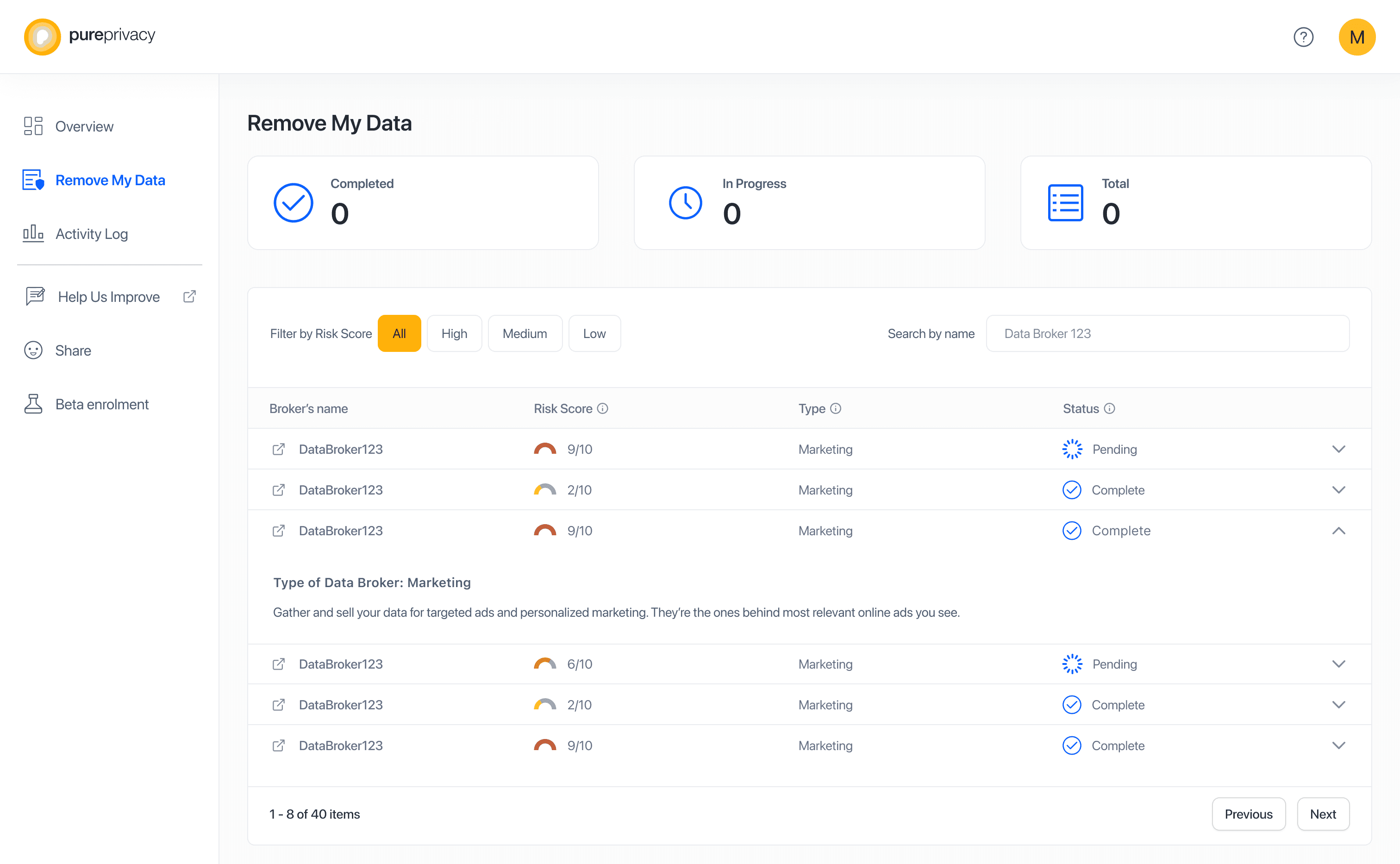
Remove My Data: Desktop
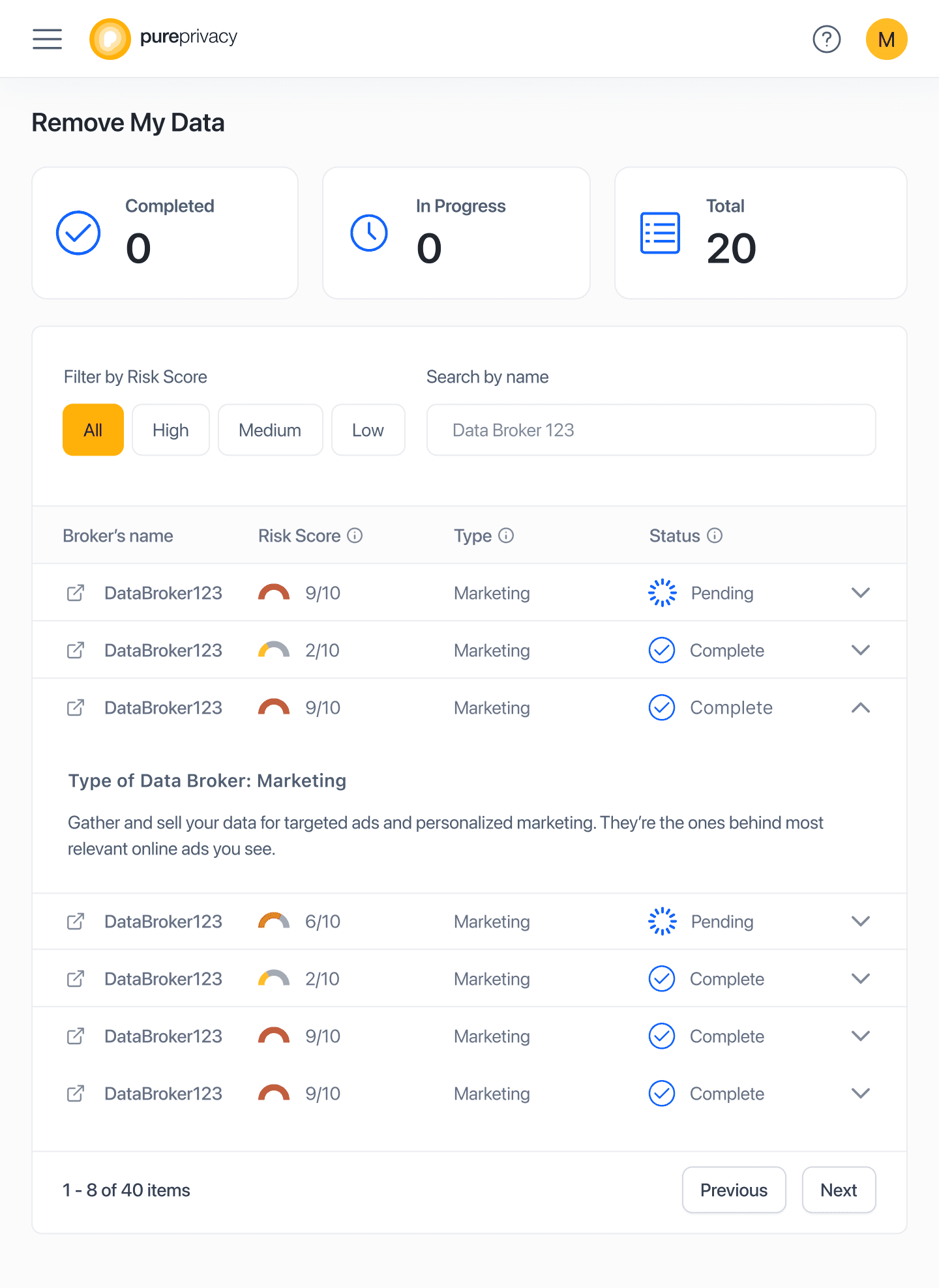
Remove My Data: Tablet
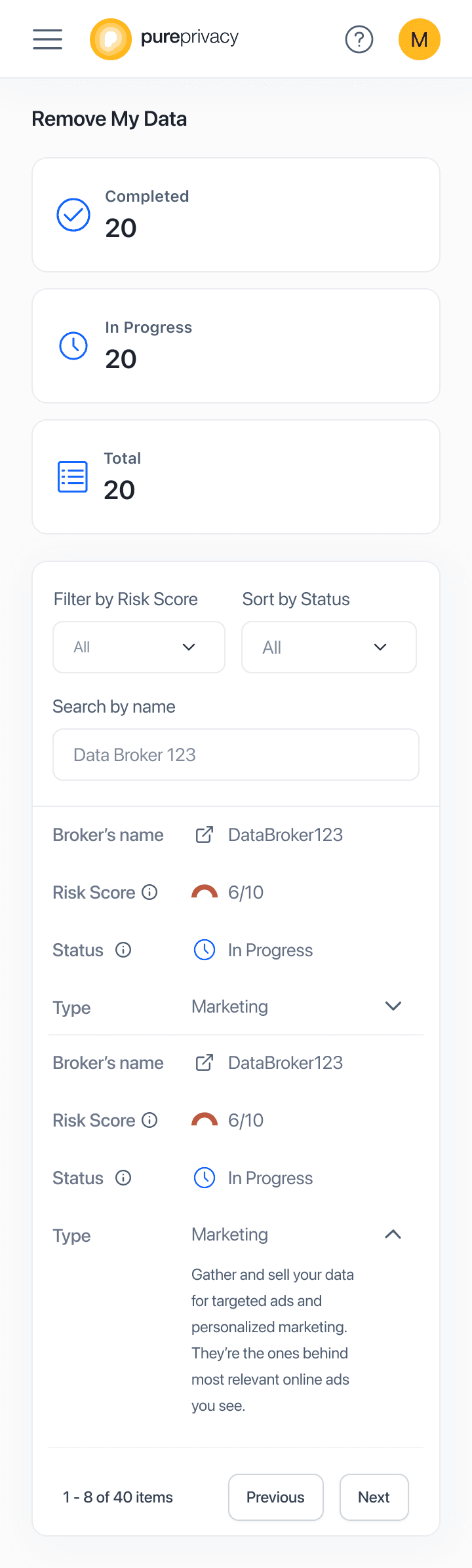
Activity Log
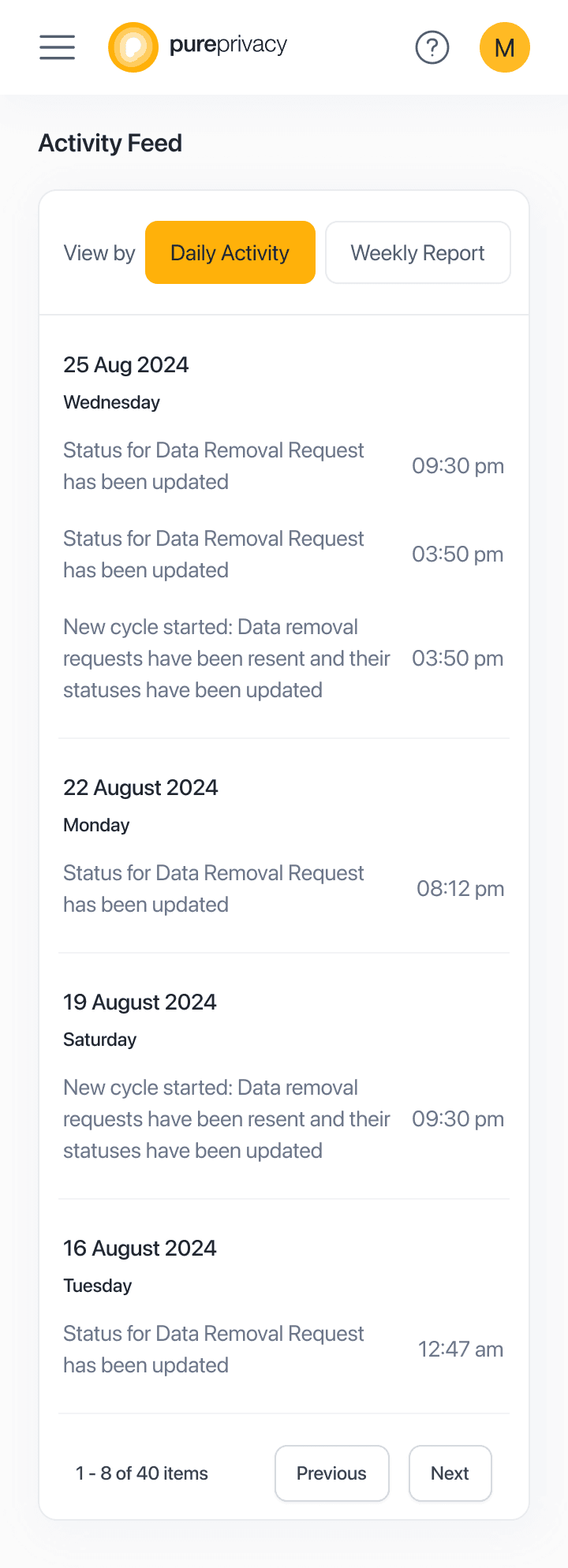
Activity Log showcases all the recent activity that has taken place in the user’s account. This includes updates on the Removal Requests, notifications on the start of new Request Cycles, and a weekly report of all the activity.
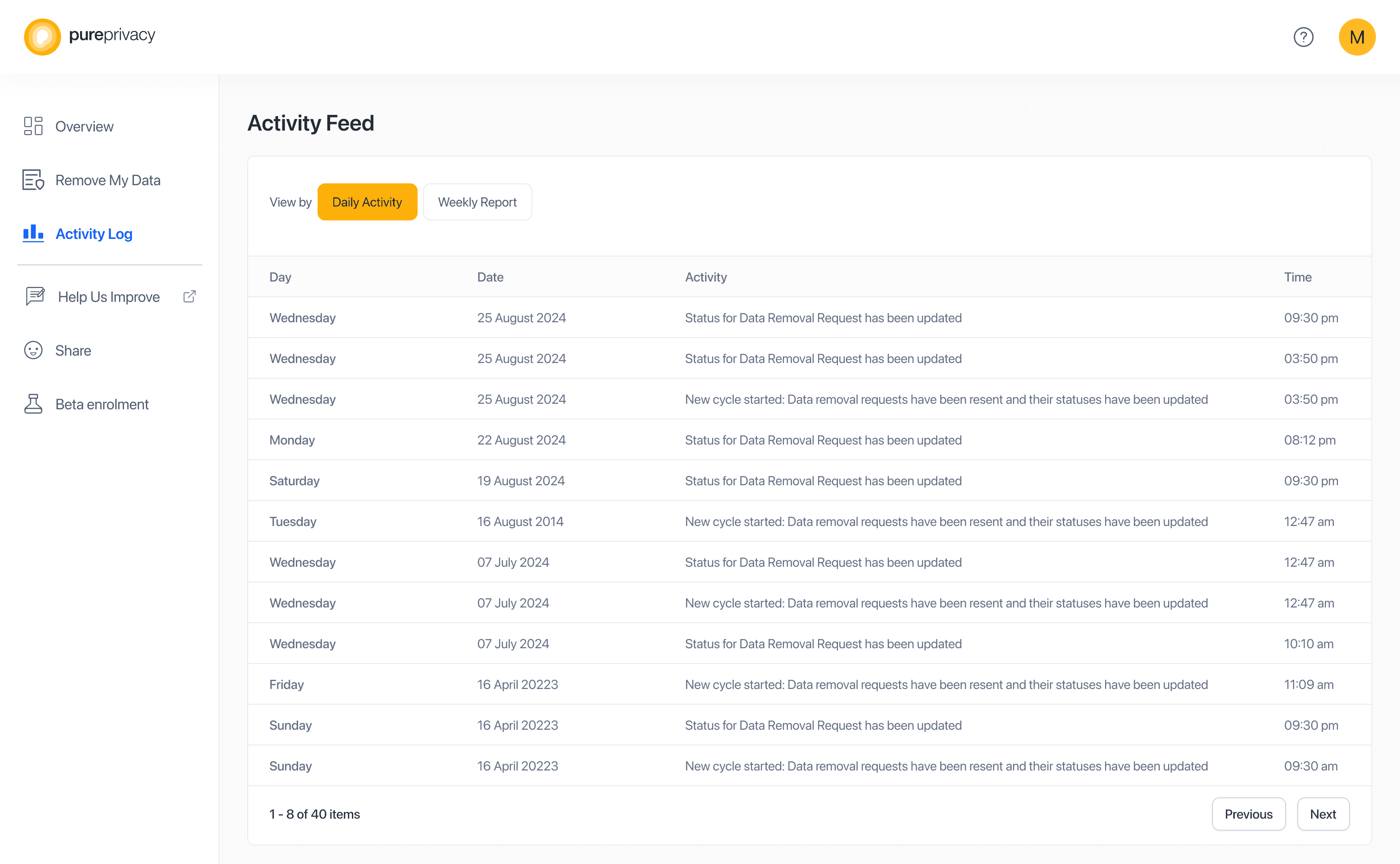
Activity Log: Desktop
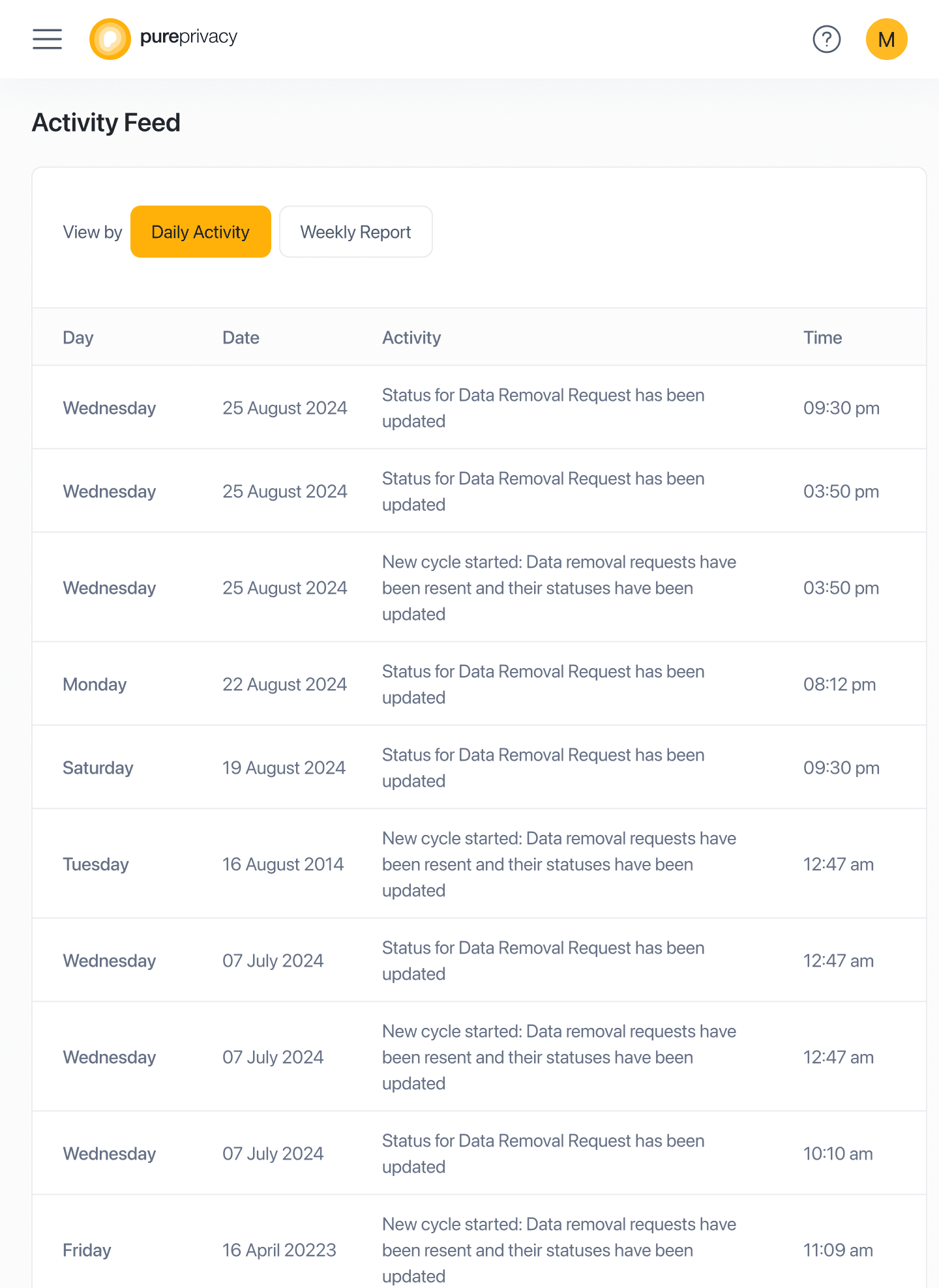
Activity Log: Tablet
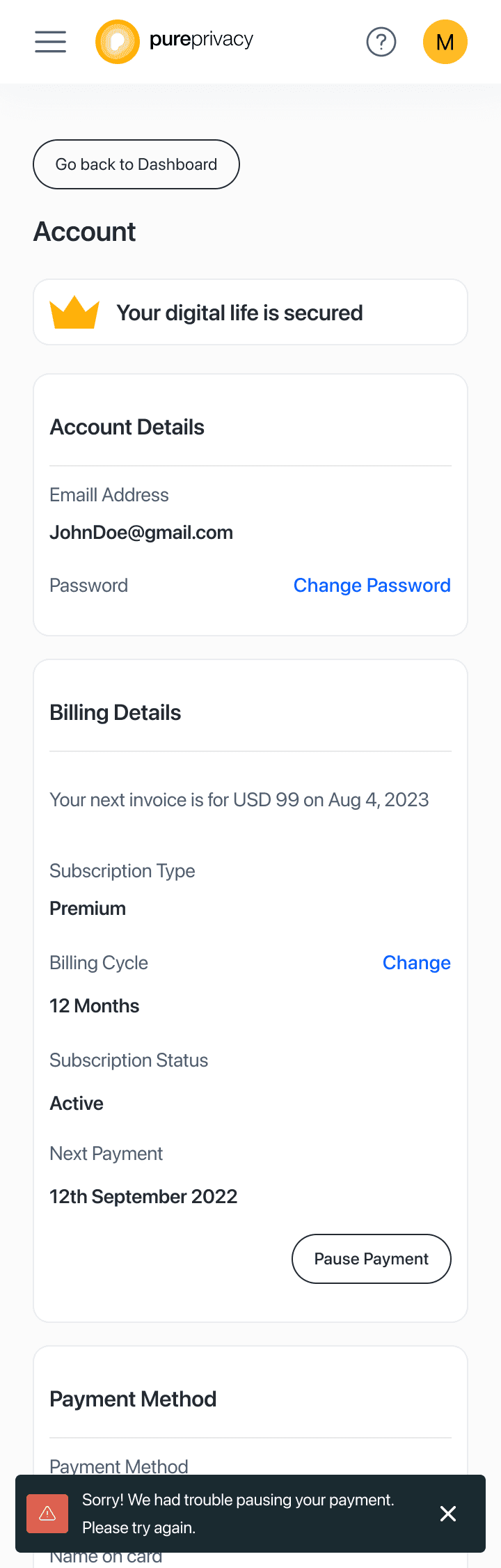
Account
Account is the central point for everything account related for the platform, including the user’s account and billing and payment details.
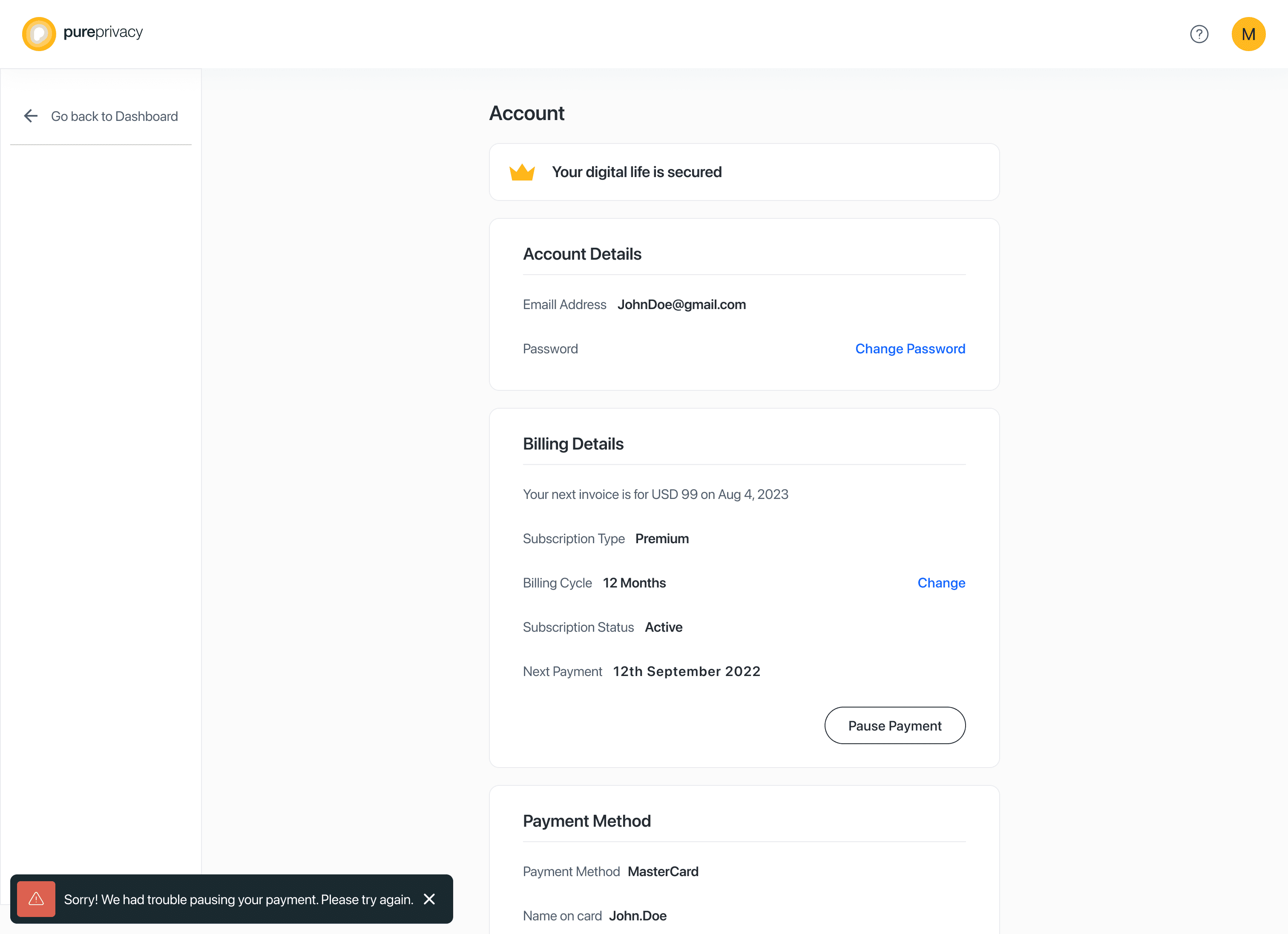
Account Desktop
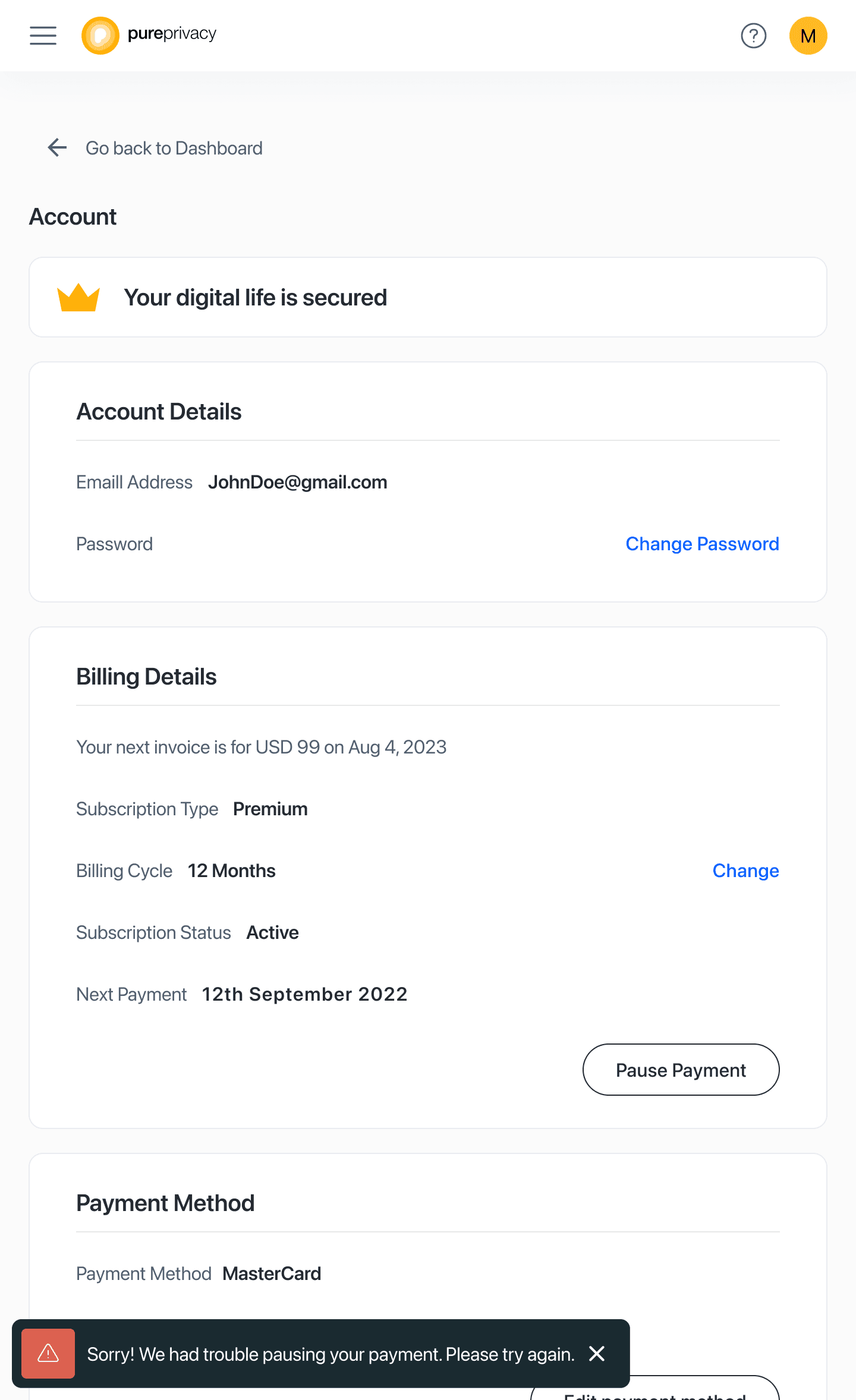
Account: Tablet